
Whole-home backup power works best when the budget matches what your house actually needs during an outage. A smart plan looks beyond the purchase price and accounts for runtime, installation, fuel or charging, maintenance, and a safety cushion for unexpected costs. That approach helps you avoid overspending on capacity you will not use or undersizing a system that cannot support essential loads. Whether you are comparing generator options, battery storage, or a hybrid setup, a clear budgeting process makes the decision easier. Use the five tips below to estimate total cost, compare proposals accurately, and build a backup power plan that fits your home and priorities.
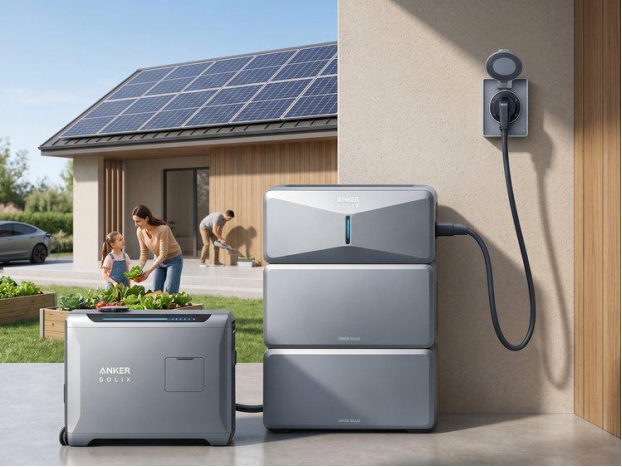
Start your budget by listing the circuits and appliances you want to run during an outage. Include essentials such as refrigeration, lighting, internet, sump pumps, medical devices, heating or cooling equipment, and well pumps if applicable. Note both running watts and startup surges, because motors and compressors can briefly draw much more power. Then decide how long you want backup power to last: a few hours, overnight, or several days. That runtime target directly affects system size and cost. The Anker SOLIX E10 Whole-Home Backup offers expandable capacity from 6 kWh to 90 kWh, up to 30 kW Turbo Output, and 9 kW to 27 kW solar charging, which can support very different household backup goals.
To answer “how much is a generator,” compare complete system costs against your power target. A lower advertised price can be misleading if it excludes transfer equipment, extra battery modules, fuel storage, or electrical work. For battery backup, look at total usable capacity, output, expansion options, and charging speed. For generator setups, compare power rating, fuel type, expected runtime, and whether the package includes automatic switching. A battery system may cost more upfront but reduce noise, simplify maintenance, and lower ongoing operating costs. A generator may offer long runtime if fuel is available. Budget decisions become clearer when you compare each option as a fully installed solution sized to the same household loads.
Installation often adds a significant amount to a whole-home backup budget, so include every required component before approving a proposal. Your total should cover the power unit, transfer switch or smart load management equipment, any necessary main panel or subpanel upgrades, wiring, conduit, breakers, mounting hardware, electrician labor, startup testing, delivery, placement, site preparation, local permits, inspections, utility approvals, and fuel line work or exterior connections where applicable. These items affect both price and project complexity. If a quote seems unusually low, confirm whether it excludes permits or panel modifications. A realistic budget accounts for full code-compliant installation, not just equipment sitting in the garage.
Ownership costs continue after installation, so build them into your long-term budget from the start. For generator systems, estimate fuel use during short and extended outages, plus any storage or delivery costs. For battery backup, account for electricity used to keep the system charged and any solar integration you plan to add. Maintenance also matters. Generators typically need regular service, inspections, and replacement parts over time. Battery systems usually have fewer routine service requirements, but you should still budget for monitoring, firmware updates if applicable, and eventual component replacement outside warranty. Setting aside annual funds for upkeep helps you evaluate true cost of ownership and prevents surprise expenses when backup power is needed most.
Request itemized quotes so you can compare equipment, labor, permits, and optional add-ons line by line. That makes it easier to spot missing components, inflated installation charges, or differences in system sizing. Ask each provider to show total capacity, output, transfer equipment, warranty terms, and commissioning costs in writing. If one quote includes panel upgrades or site work and another does not, the lower number is not a real savings. After comparing the details, add a contingency reserve to your budget for unexpected electrical upgrades, permit revisions, or accessory needs discovered during installation. A practical target is to hold back roughly 10 to 15 percent so the project can move forward without financial stress.
Turn your plan into action by setting a target budget range, prioritizing essential loads, and choosing the system type that best matches your outage risks. If your main goal is quiet overnight backup for key circuits, battery storage may be the clearest fit. If you need extended runtime for frequent long outages, compare that need against fuel and maintenance costs. Review financing or phased expansion options if you want to start smaller and add capacity later. Before signing, confirm installation scope, warranty coverage, and expected operating costs in writing. A practical budget is not just a number. It is a complete plan that connects your home’s power needs, total ownership costs, and installation requirements.
Budgeting for whole-home backup power starts with a simple principle: pay for the performance your home needs, not for guesswork. When you calculate demand, compare complete system prices, include installation costs, plan for ownership expenses, and review itemized quotes, you can make a confident decision. That process helps you avoid common budgeting mistakes such as overlooking permits, underestimating runtime needs, or ignoring ongoing costs. It also gives you a clearer view of which solution delivers the best value for your household. Use these five tips to build a realistic budget, ask better questions, and invest in backup power with fewer surprises and better long-term results.