
Brief power cuts matter when they interrupt devices that should stay on, even for a few seconds. If your computer restarts, your router drops offline, or your work disappears before it saves, a UPS battery backup can solve a very specific problem: keeping essential electronics powered through short outages. For many homes and small offices, that makes a UPS more useful than a basic surge protector alone. The key is knowing what you need it to protect, how long your typical outages last, and whether you want coverage only for short interruptions or a broader home backup solution with more capacity and flexibility.
A power loss that lasts only a few seconds can still shut down a desktop computer, external drive, or monitor immediately. That interruption can erase unsaved work, corrupt open files, stop uploads, and force programs to restart before you can continue. If you use your computer for work, study, design, or financial tasks, even a brief outage can cost time and concentration. A UPS battery backup keeps the system running long enough to ride through a short cut or let you save your work safely. This is especially helpful for desktop setups that lack internal batteries. If a sudden restart would disrupt your day or risk important data, a UPS is usually worth having.
Short power cuts also affect devices people often overlook, especially routers, modems, switches, and mesh network units. When these lose power, your internet connection drops, video calls disconnect, smart home devices go offline, and local network access may stop until everything reboots. Even if utility power returns quickly, network equipment can take several minutes to reconnect fully. That delay is often more disruptive than the outage itself. A small UPS can keep low-wattage networking gear running through brief interruptions, preventing avoidable downtime. It can also help maintain access to local printers, network storage, and security devices that depend on a stable connection. For many households, protecting the router alone delivers immediate practical value.
A surge protector helps defend electronics against voltage spikes, but it does not keep them running when the power goes out. A UPS does both jobs: it can filter incoming power and switch to battery backup when utility electricity stops. That temporary battery power is what prevents an immediate shutdown during a brief cut. For short outages, this difference is crucial. Your computer can stay on, your router can keep working, and connected equipment avoids a hard power loss. Many people assume surge protection is enough until they experience repeated short interruptions. If your main problem is power dropping out rather than only surging, a UPS provides the protection a standard power strip cannot.
A UPS is also valuable when an outage lasts longer than a few seconds. Instead of letting electronics switch off abruptly when battery power runs out, it gives you time to respond. You can save documents, close applications, shut down a computer properly, and protect connected storage from sudden power loss. Some systems can even trigger automatic shutdown settings for added safety. That controlled shutdown reduces the chance of file corruption, operating system errors, and hardware stress caused by unexpected loss of power. For people working from home or managing sensitive equipment, that extra window matters. A surge protector cannot provide runtime, warning time, or any practical path to shut devices down safely.
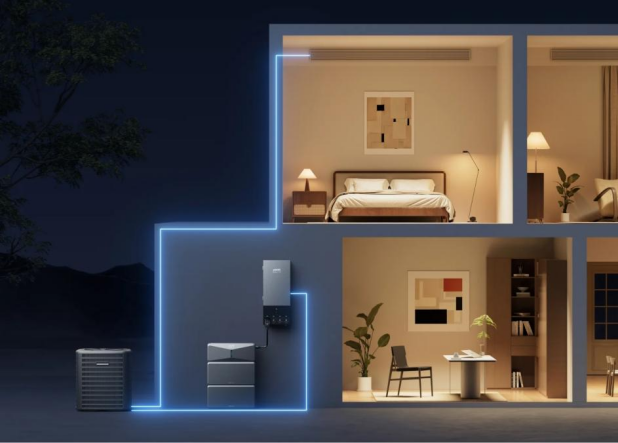
Choose a UPS by starting with the devices you truly need to keep on. Add up their wattage, then select a unit with enough output capacity to handle that load comfortably rather than at its limit. Next, consider runtime. A router and modem may need only a modest UPS to stay online for a while, while a desktop computer and monitor require more battery support. Check outlet types, battery-backed receptacles, and any shutdown software compatibility for computers. For households needing more backup capacity than a conventional UPS, the Anker SOLIX E10 Whole-Home Backup offers modular battery storage, solar input, and compatible generator integration. With a Power Dock and a supported automatic backup configuration, it supports a transfer time of 20 milliseconds or less.
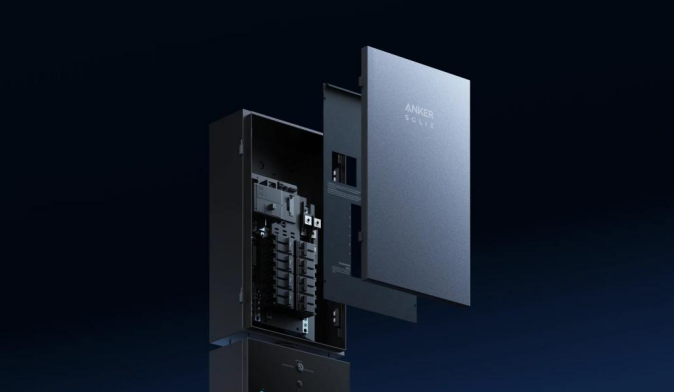
If your goal is simply to ride through brief power cuts, a standard UPS is usually the right tool. It protects selected electronics, handles short interruptions well, and gives enough runtime to save work or avoid network resets. That is different from a longer-duration home backup setup, which is designed to support more circuits and larger loads for extended outages. Keeping those two needs separate makes choosing easier. Buy a UPS for computers, network equipment, and other sensitive electronics that cannot tolerate even a momentary shutdown. Consider a broader backup system only if outages regularly last long enough to affect refrigeration, lighting, or multiple household systems beyond your immediate workspace.
Yes, you likely need a UPS battery backup if brief power cuts restart your computer, interrupt your internet, or risk lost work. A surge protector alone cannot solve those problems because it does not provide temporary power. The best choice is a UPS sized for the essential devices you want to keep running and for the few minutes of runtime you actually need. If your concern extends beyond short interruptions to wider home resilience, then a larger backup system may make more sense. Start with your most disruption-prone devices and build your protection around them.